


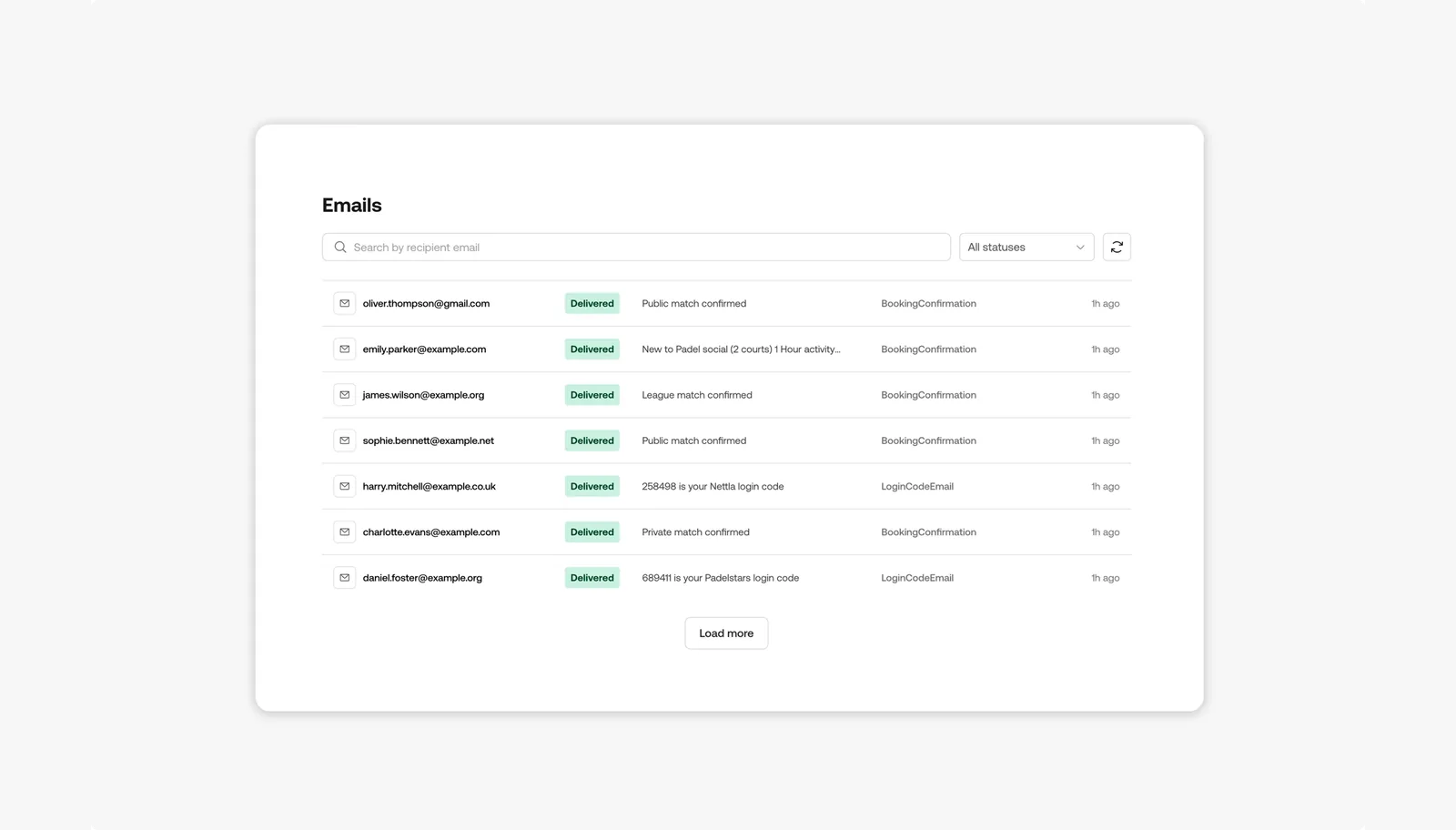
Club admins can now see every email sent through Nettla to each player on their player list. Open a player’s profile and you’ll find a full log of their booking confirmations, cancellations, receipts, reminders and announcements, along with whether each one reached the player.
How it works
- Every email sent to a player shows up in their profile with its subject, type and when it was sent
- Each email has a status, so you can see at a glance whether it was delivered, opened, bounced or marked as spam
- Click any email to see exactly what the player received and a timeline of what happened to it after it was sent
Why this feature matters
When a player says they never got their booking confirmation, most clubs can’t check, because that information is gated behind the booking provider. With the email log, your staff can look it up in seconds, see whether the email bounced or landed in spam, and show the player exactly what was sent. That means faster answers at the desk, fewer disputes about missed bookings, and a clear picture of how your players receive your communication. It’s your club and your players, so the record of what you’ve sent them should be yours to see too.